
MATERIALS & TESTING · BUYER GUIDE
How to Check Lighting Test Reports Before Buying
Put the quotation beside the report. Check the model, sensor option and light source before relying on the result.
A report can be genuine and still cover a different light from the one on your quotation. Before checking the pass result, put the quotation beside the report and compare the model, light source and options.
An added sensor or a change from E27 to integrated LED is easy to overlook when two versions share the same outer housing. The checks below help you spot those differences and decide what to ask next.
First identify the type of document
| Document | What to look for |
|---|---|
| Test report | The tested samples, method, conditions, results and conclusion for the stated scope. |
| Product certificate or listing | The issuing scheme, covered products and configurations, and current status with the issuer. |
| Declaration of conformity | The identified product, responsible manufacturer and applicable legislation. |
| Factory test record or video | The recorded process or result, its sample reference and its limits. |
These documents serve different purposes. A video can make a test sequence understandable; a complete report records the details needed to evaluate its scope. A material or component document also needs to be connected to the finished light in which that component is used.
Check the product identity and configuration
Compare the quotation and product specification with the report’s model list, sample photographs and technical description. Look for the rated voltage, power, driver or light-source configuration, materials, dimensions and options relevant to the test.
If your sales model and the factory’s test model use different names, request a clear model cross-reference and confirmation of the covered construction. If a report covers a family, identify which variations are included and the basis for including your selected model.
Here is a hypothetical document check, not an extract from a customer file. Suppose the quotation offers an integrated-LED wall light with a sensor, while the report describes a similar-looking E27 version without one. Work through the differences before treating that report as applicable.
| Check | Difference in this example | Next step |
|---|---|---|
| Model and sample photograph | The housing looks similar, but the quoted version and listed test model differ. | Ask for the model cross-reference and the report pages describing covered variants. A matching exterior photograph is not enough. |
| Sensor | The quotation includes a sensor; the test description names the version without it. | Check whether the sensor variant is included in the report or an extension, with the relevant construction and components identified. If unclear, ask the issuer or responsible assessment party. |
| E27 or integrated LED | The report describes an E27 lampholder; the quotation specifies an LED module and driver. | Compare the light-source and electrical-construction descriptions. Request evidence applicable to the quoted LED version, or a documented assessment explaining coverage. |
| Decision before ordering | The differences remain unresolved. | Do not use the report to support the quoted version yet. Obtain the relevant documents or written clarification and keep them with the approved specification. |
A difference does not automatically mean the product failed or the report is false. It means coverage has not yet been established. Where a report includes several variants, locate the description of the one you are ordering.
Read the result behind the headline
Do not stop at “pass” on a cover page. Establish what was tested, under which method and edition, and whether any exclusions, deviations or limitations affect the intended claim. For weathering records, match the exposure conditions and duration to the subsequent evaluations.
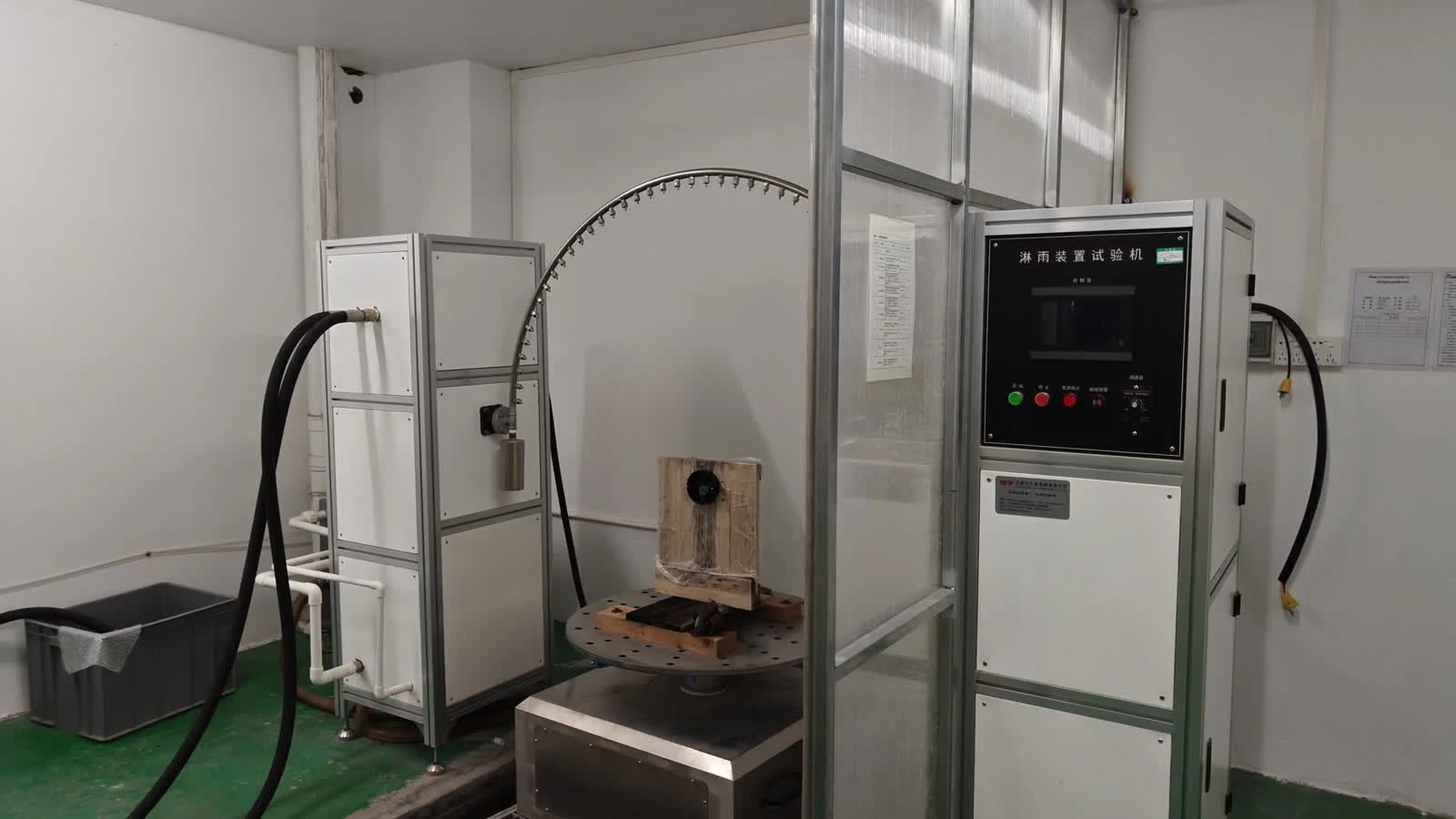
Our laboratory video illustrates why sequence matters: it shows UV exposure followed by a separate impact check. A record for an impact test on a new sample answers a different question from one performed after ageing. The same care is needed when matching IP, corrosion or electrical-test evidence to a particular claim.
Verify the issuer and the record
Use the issuing organisation’s official contact details or verification service. Check the document or file number, company identity, covered model and any available status. For UL certification claims, UL explains how identifiers or file numbers can be checked in Product iQ. See UL’s verification guidance.
A report may not be publicly searchable. If the official database does not resolve the question, request confirmation from the issuer rather than treating absence from a search as proof of a false document. A scan with a familiar logo is not enough to resolve a mismatch.
What changes when you sell under your own brand?
For the EU, official guidance treats a business having products made and selling them under its own name or brand as the manufacturer, with responsibility for compliance of the complete product. CE marking requires the applicable conformity assessment, technical evidence and declaration; there is no central EU certificate granting permission to use it. Read the EU’s CE-marking guidance.
For a private-label order, agree how the factory model, your sales model, the labels and the supporting documents relate. Ask which existing evidence is applicable and whether a document update, additional assessment or testing is needed. Establish the requirements for the actual destination market; a report for one market is not a universal approval.
A clear request you can send with your enquiry
Resolve discrepancies before approving labels, packaging or a purchase order based on those claims. Keep the agreed configuration and document revisions together so the next order can be checked against the same baseline.
Request the documents for your selected version
Include the model and whether you need a sensor, E27 or integrated LED. Add the country of sale so we can identify the available documents and any gaps to resolve.
Request model-specific documents ↗